macOS Instructions
macOS Anleitung
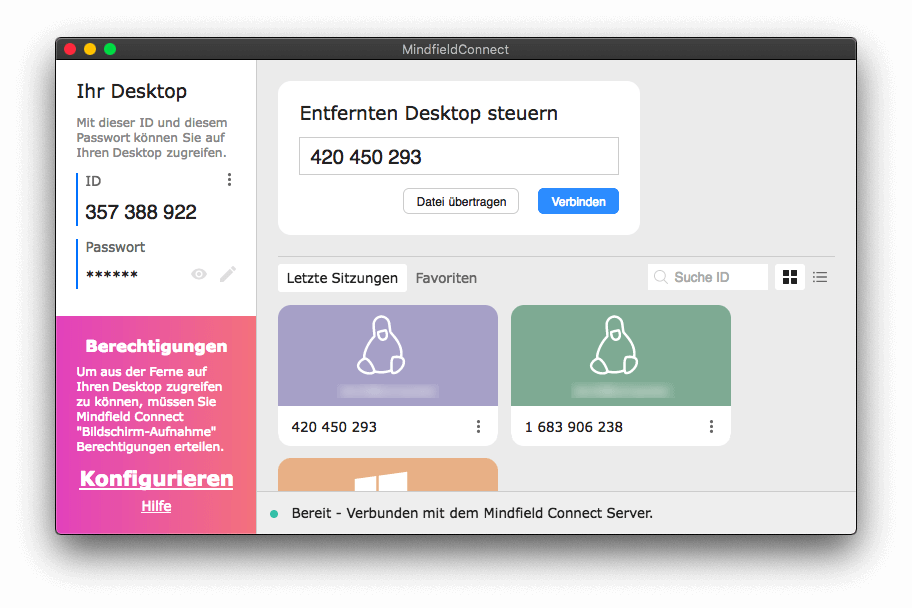
Click on the "Configure" button (might not work on some versions
of macOS) or navigate to System settings, click on Security and
open the Privacy tab.
Klicken Sie auf "Konfigurieren" (funktioniert auf einigen
Versionen von macOS möglicherweise nicht) oder öffnen Sie die
Systemeinstellungen und navigieren Sie zu dem Reiter Sicherheit
und klicken Sie dort auf Datenschutz.
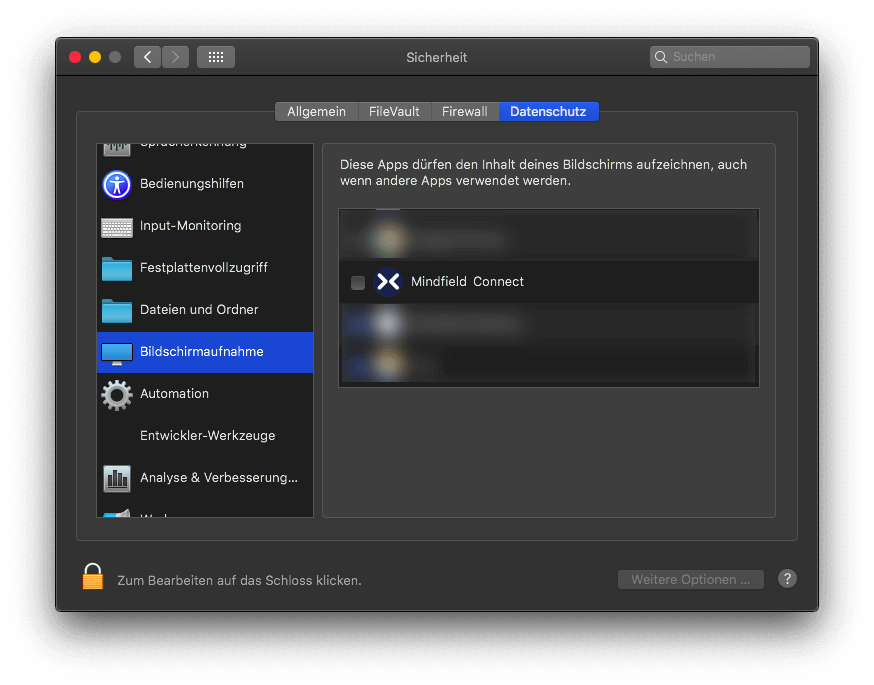
Choose Screen Recording and enable the checkbox next to
Mindfield Connect.
Wählen Sie Bildschirmaufnahme aus und aktivieren Sie das
Kästchen bei Mindfield Connect.
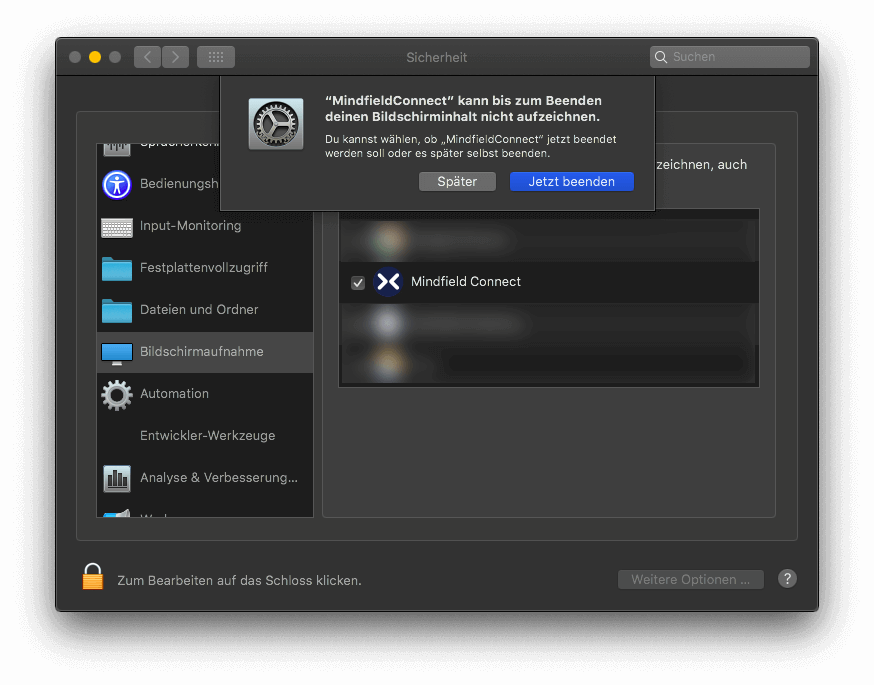
Confirm the prompt to exit Mindfield Connect and start it again.
Bestätigen Sie die Beendigung von Mindfield Connect und starten
Sie das Programm erneut.
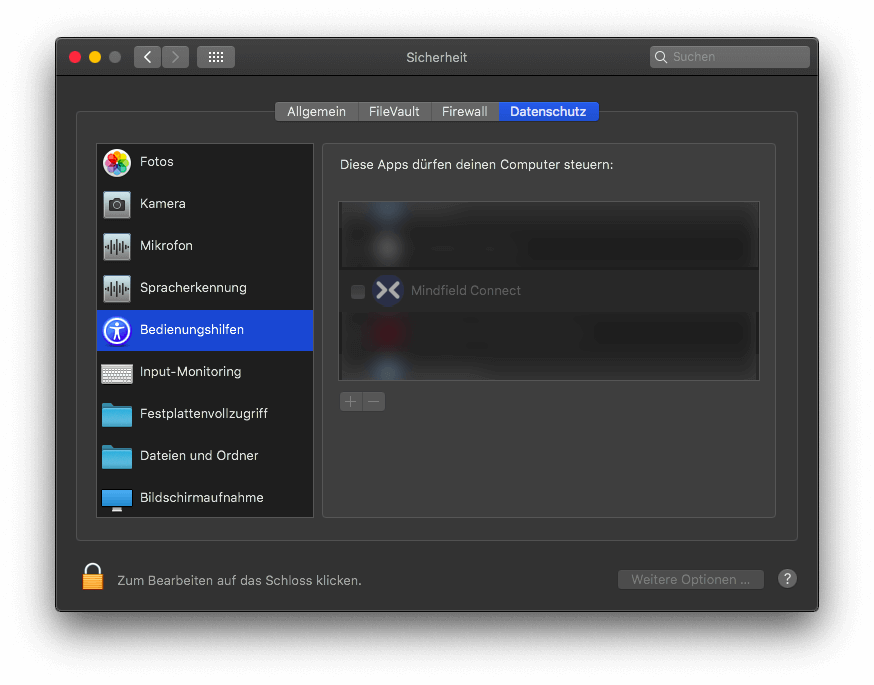
Click on accessibility in the left hand list and enable
Mindfield Connect.
Wählen Sie Bedienungshilfen aus der linksseitigen Liste aus und
aktivieren Sie Mindfield Connect.
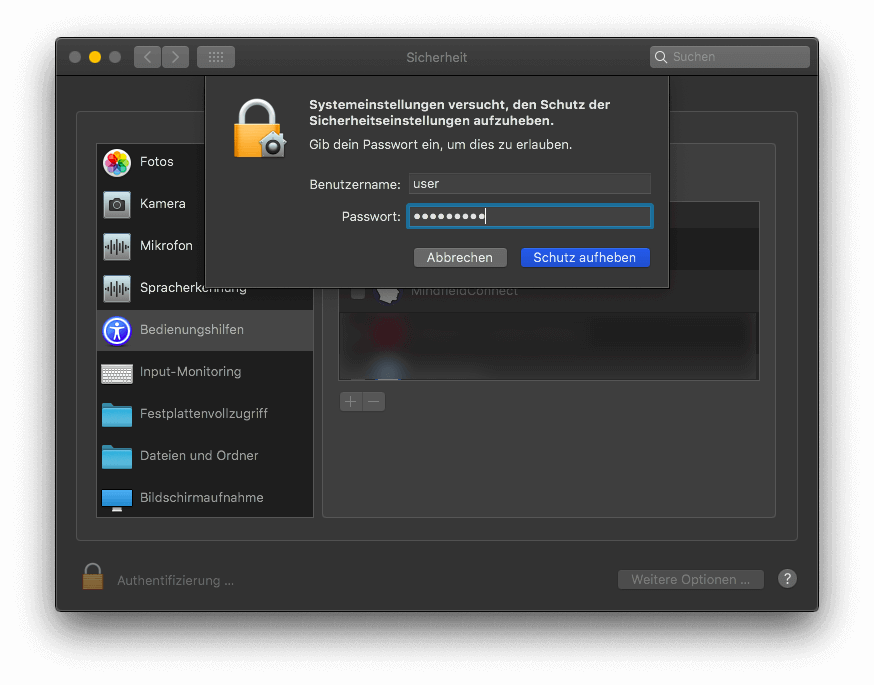
If you cannot access any of those settings, click on the lock
icon on the lower left corner and authenticate.
Wenn Sie die Optionen nicht auswählen können, klicken Sie bitte
auf das Schloss in der unteren linken Ecke und authentifizieren
Sie sich.